Private AI, your Mac, your way
Run frontier and local models on your Mac, then talk to them from your phone or the web. Private by default: use local models, bring your own API key, or our no-logging proxy.
5.0 on the App Store · 23 ratingsYour data is never used to train AI models, regardless of which option you choose.

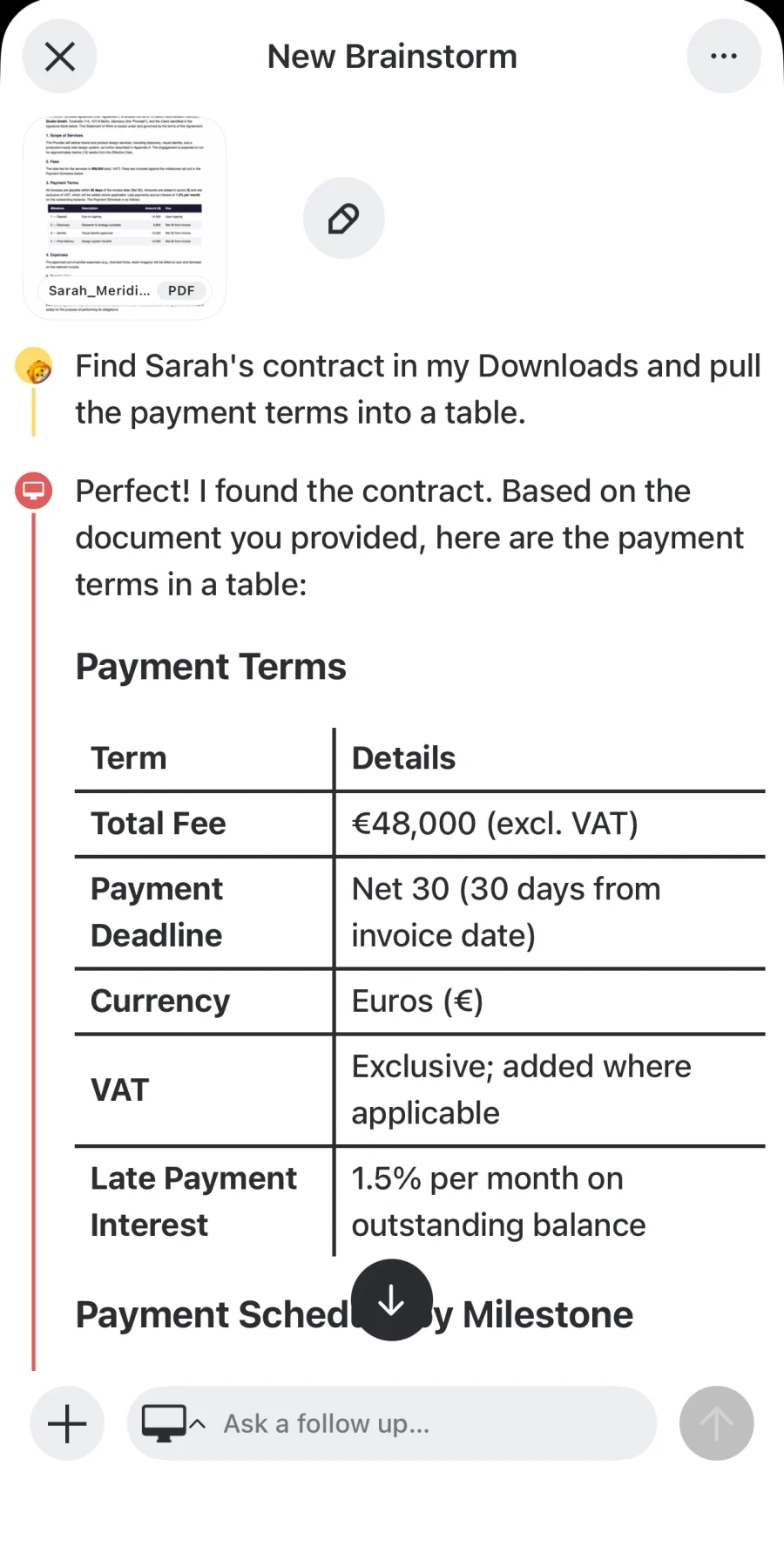
Control your Mac from your phone
Leave your Mac at home doing the heavy lifting. Start a Brainstorm that targets your Mac, then talk to it from your phone or the web, wherever you are.
Every model, on your Mac
Frontier models, private local models, and ollama (local or cloud) all run on your Mac. It has the memory and horsepower your phone doesn't.
Talk to it from anywhere
Your Mac answers from the new.space app on your phone or the web. End-to-end encrypted, so only your devices can talk to each other securely.
Brainstorm, powered by your Mac
Point a Brainstorm at your Mac and let it think with the full context of your spaces, files, and notes, without any of it leaving your devices.
Made for ollama
Already running ollama on your Mac? new.space connects to it in a click, with its local models and cloud models, side by side. New to it? ollama installs on a Mac in a couple of minutes.
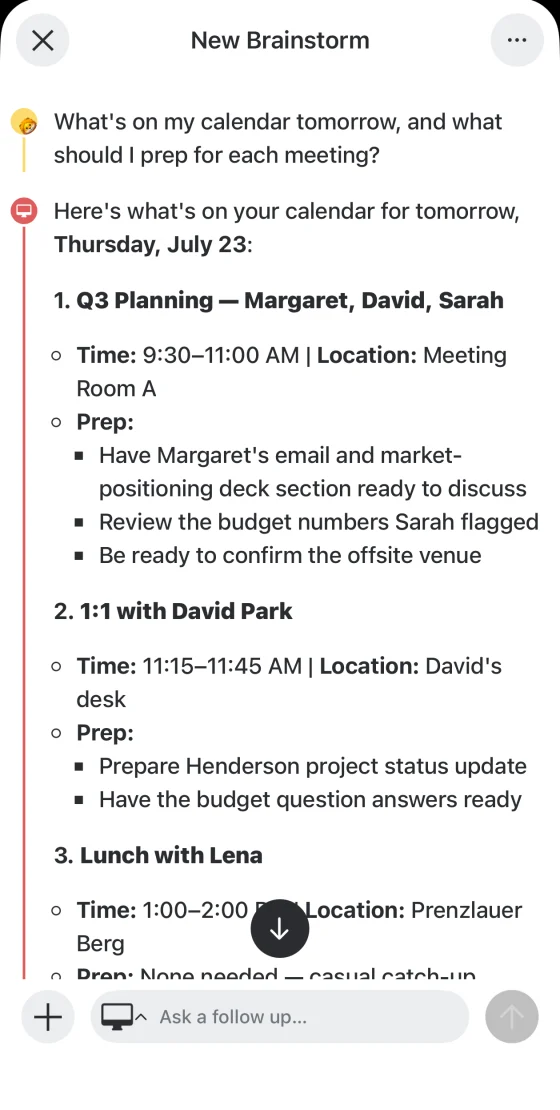
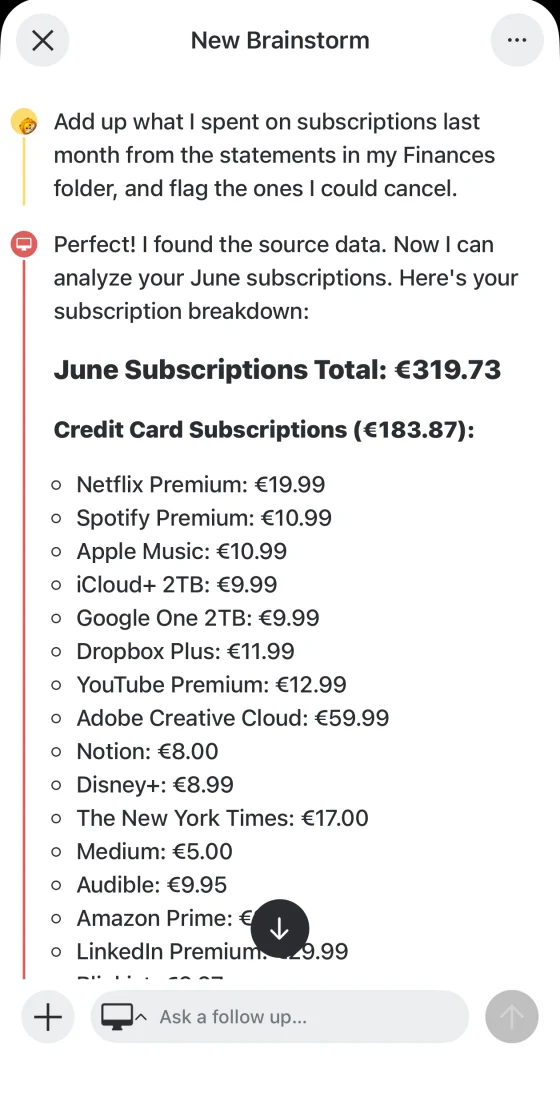
Your calendar, reminders, files, and conversations, finally in one place you can talk to
Ask questions about your life without sending your data anywhere. Connect your calendar, reminders, and files, then just ask. Or set up Routines that check in on their own and post the answer as a new Brainstorm.
"What's on my calendar tomorrow?"
Check your schedule instantly
"Compare the three PDFs in my Downloads and tell me which vendor is cheapest."
Reason across your files
"Did anyone email about the offsite? Draft a reply and add it to my calendar."
Search, draft, and schedule in one ask
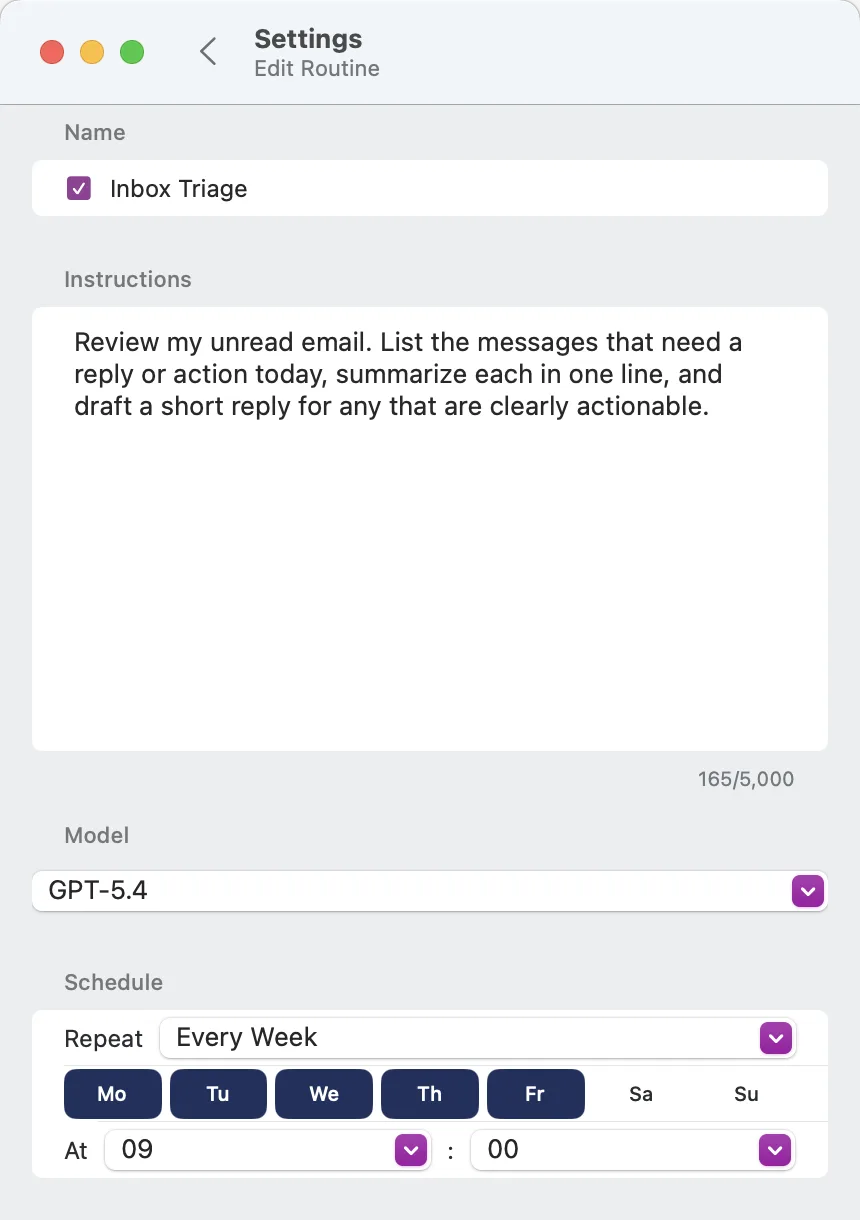
"Every Friday, review my inbox and summarize what still needs a reply."
Runs on your Mac, posts a new Brainstorm
"What did we decide last week?"
Search your conversations
"Every morning at 7, brief me on my day and anything urgent overnight."
Runs on your Mac, posts a new Brainstorm
How AI privacy works
Choose the option that fits your needs. Your data is never used for training, regardless of which you choose.
Local models
Runs entirely on your device, on your phone or on your Mac with ollama. Free and unlimited. No data ever leaves your devices.
Bring your own key
Use your API key from OpenAI, Anthropic, or others. Requests go directly from you to them—we never see your prompts.
new.space AI proxy
Access frontier models through our no-logging proxy. No contract with AI providers needed. Free credits included; paid plans unlock more.
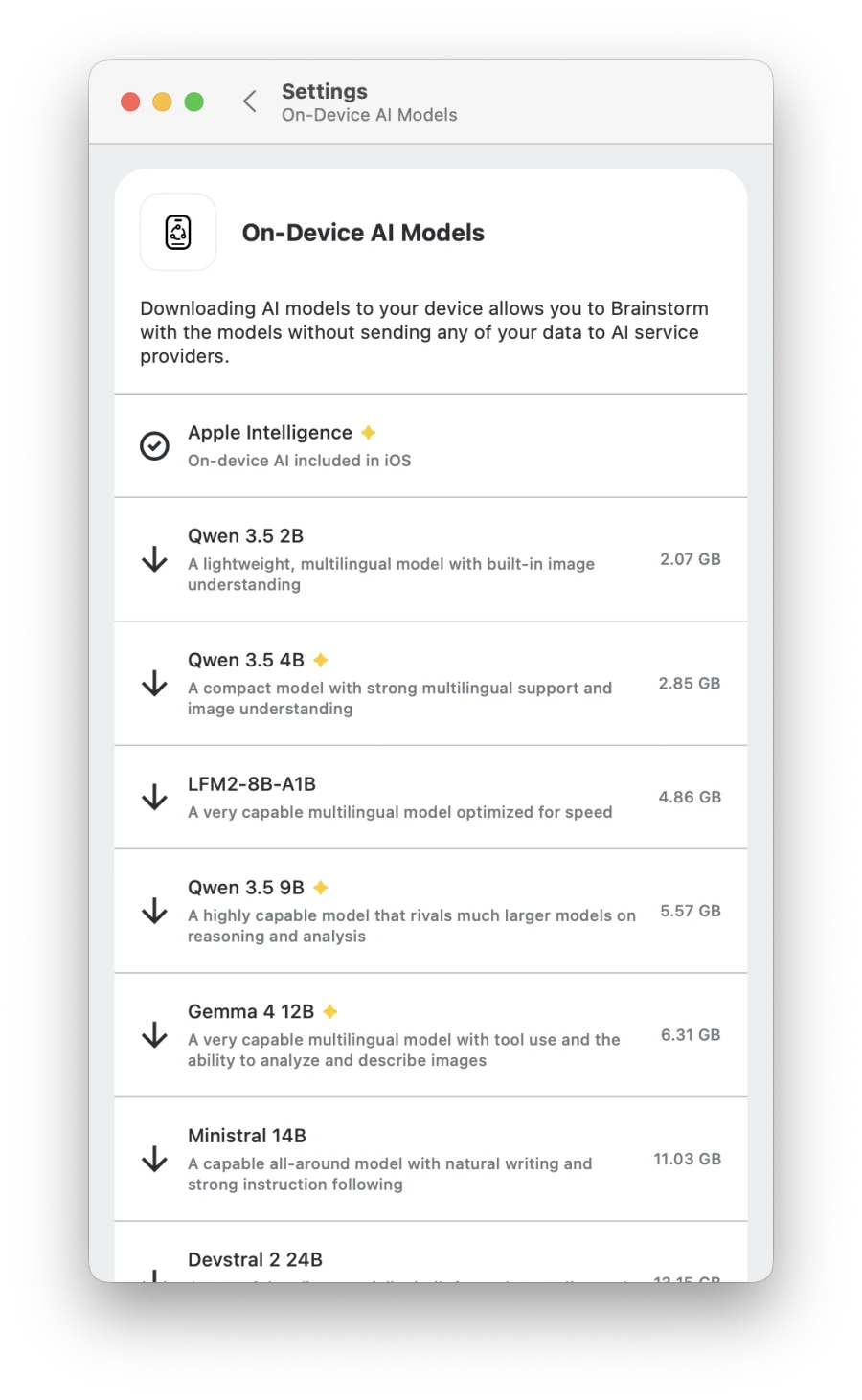
Local AI runs on your device—it may be slower than cloud, and it won't always be perfect. Your data stays yours, always.
Share anything with anyone
Spaces bring together links, files, photos, documents, voice notes, scans—everything your group needs in one place.
Share with a link or QR
Share instantly via link or QR code. No app download required for viewers.
Collaborate in real time
Work together seamlessly. See updates as they happen.
Chat and react
Discuss items without switching apps. Add emoji reactions to anything.
Use AI together
Brainstorm with AI as a group. Everyone's contributions are tracked.
Everything supported
Files, links, notes, photos, scans, voice notes, emails, web archives—all welcome.
Full-text search
Find anything instantly across all your spaces and content.
End-to-end encrypted, always
We can't see what you share. We can't see what you ask AI. Your spaces, your Brainstorms, and your files are all encrypted so only you and the people you choose can access them.
Phone, Mac, and web. Encrypted here, and your keys never leave.
Sealed data only. No keys, so we can't read your content.
Decrypted here, so only you can open it.
Everything is encrypted on your device before it syncs. We relay sealed data we can't open, even if we wanted to.
Zero access
We literally cannot read your content, even if we wanted to
No training
AI providers promise not to train on your data. Your prompts stay private
Your choice
Control exactly who can access each space you create
Don't stress about privacy and AI. You can have both.
Built for how you work
From family vacations to creative projects, spaces adapt to your needs.
Private AI conversations
Work with sensitive documents, personal notes, or confidential data. Local AI processes everything on-device—no AI servers see your content.
Group projects
Share research, files, and notes. Brainstorm with AI together. Keep everything in one place.
Creative moodboards
Gather images, links, and inspiration. Focus on the vibes.
Daily standups
Calendar view keeps today's updates front and center. Low-friction team communication.
Personal capture
Quick notes, voice memos, links, scans. Today is your private inbox.
Family trips
Collect boarding passes, hotel confirmations, and itineraries in one space. Everyone has access, even offline.
Everything this app can do
A complete toolkit for capturing, organizing, and collaborating.
Your Mac
- Control your Mac from your phone or the web
- Run frontier, local, and ollama models on your Mac
- Read and search files on your hard disk
- Access your email, calendar, and reminders
- Brainstorms run on your Mac in the background
- Schedule Routines that run on a schedule you choose
- Choose which tools your Mac can use
Spaces
- Organize content into shareable folders
- Pin spaces to the top of your list
- Stack view or calendar view
- Moodboard layout for visual content
- Share via link, QR code, or contacts
- Notifications for collaborator updates
- Files, links, notes, photos, scans, voice
- Full-text search across all content
- Conversation threads on any item
- Emoji reactions
- Email items directly to a space
Today Space
- Personal daily space
- Default destination for quick captures
- Renews every morning
- Always private, never shared
AI Brainstorms
- Chat with files, links, images, docs
- Local on-device models (free, private)
- Free monthly AI credits included
- Bring your own API key option
- AI-powered web search
- Collaborative AI with attribution
Offline & Privacy
- Works fully offline
- Save content for offline access
- Capture now, sync later
- End-to-end encryption on all content
- Local AI—no AI servers see your data
- AI providers promise not to train on your data
Simple, transparent pricing
Every plan includes unlimited spaces, unlimited local AI, and unlimited sharing. Upgrade for more storage and premium AI access.
Space+ Moon
Space+ Mars
Space+ Jupiter
Every plan includes:
Your conversations stay yours
However you use AI, your data remains private. Download new.space and experience the future of private collaboration.